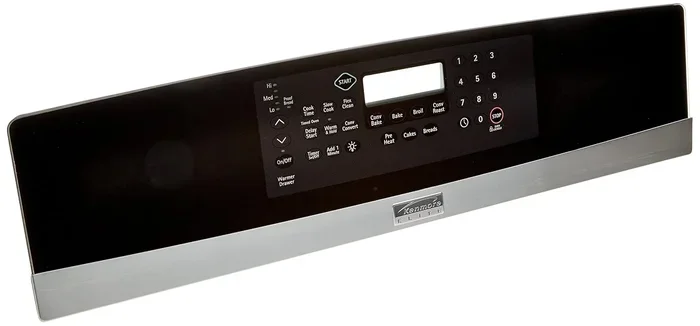
Learn How To Turn Off Self Clean On Frigidaire Oven
Learning how to turn off self clean on Frigidaire oven is simple once you know the right steps. This guide covers touchscreen and dial-control models with clear instructions. You will also find safety tips, troubleshooting advice, and maintenance tips to keep your Frigidaire oven running smoothly.
Have you ever started the self clean cycle on your Frigidaire oven and then immediately regretted it? Maybe you forgot a rack inside, or you realized the high heat is not what you need right now. Whatever the reason, knowing how to turn off self clean on Frigidaire oven can save you time, stress, and even prevent damage to your appliance.
This guide walks you through every step in plain, simple language. We cover different Frigidaire oven models, common problems, safety tips, and maintenance advice. By the end, you will feel confident handling the self-clean feature on your own.
The Frigidaire self-cleaning oven is a great tool. It uses very high heat to burn off food residue and grease. But sometimes you need to stop it. Whether your door lock is stuck, the cycle is running too long, or you simply changed your mind, this article has you covered.
Key Takeaways
- Know Your Model: Different Frigidaire ovens have different control panels, so identifying yours matters.
- Easy Steps: Turning off self clean takes just a few simple button presses on most models.
- Safety First: Always wait for the oven to cool before opening the door during a clean cycle.
- Manual Cleaning Works Too: You can keep your oven spotless without ever using the self-clean feature.
- Reset When Needed: A simple reset can fix many issues with the self-clean function.
- Call a Pro If Stuck: Some problems require professional help, especially with the door lock mechanism.
📑 Table of Contents
- Understanding the Self-Clean Feature on Frigidaire Ovens
- Step-by-Step Guide to Turn Off Self Clean On Frigidaire Oven
- Common Problems When Self Clean Won’t Turn Off
- Safety Tips for Using Self Clean on Frigidaire Ovens
- Maintaining Your Frigidaire Oven Without Self Clean
- Expert Tips and Troubleshooting
- Key Takeaways
- Conclusion
Understanding the Self-Clean Feature on Frigidaire Ovens
The self-clean feature on a Frigidaire oven is designed to make your life easier. It heats the oven to extremely high temperatures, usually between 800 and 900 degrees Fahrenheit. At that heat, food splatters and grease turn to ash, which you can easily wipe away afterward.
But here is the thing. The self-clean oven locks the door automatically during the cycle. This is a safety feature. It prevents you from opening the door while the inside is hot enough to cause burns. The oven door lock only releases once the temperature drops to a safe level.
How Self-Clean Works on Frigidaire Models
Most Frigidaire ovens follow a similar process when you start the self-clean cycle. The oven heats up gradually, stays at peak temperature for a set time, and then cools down. The entire cycle can take anywhere from two to four hours depending on the model.
Newer Frigidaire models with touchscreen controls give you more options. You can set the clean time, monitor the temperature, and even cancel the cycle with a few taps. Older models with dial controls work a bit differently but are just as manageable once you know where the buttons are.
Why You Might Need to Turn Off Self Clean
There are many reasons you might want to cancel the self-clean cycle on your Frigidaire oven. Here are some of the most common ones:
- You forgot to remove a pan or foil: Metal items left inside can smoke or even cause damage during the high-heat cycle.
- The cycle is taking too long: Sometimes the oven clean cycle runs longer than expected, and you need the oven for cooking.
- Strange smells or smoke: While some smoke is normal, excessive smoke could mean something is wrong.
- You changed your mind: Maybe you found a better cleaning method or simply do not need the self-clean feature right now.
- The door lock is stuck: A malfunctioning lock can prevent you from using your oven for cooking.
Step-by-Step Guide to Turn Off Self Clean On Frigidaire Oven
Now let us get into the practical part. Turning off the self clean function on a Frigidaire oven is straightforward. The exact steps depend slightly on your model, but the general process is very similar across most Frigidaire ranges.
For Touchscreen and Digital Control Models
Most modern Frigidaire ovens come with a digital touchscreen or a keypad with buttons. Here is how to turn off the self-clean cycle on these models:
- Press the Cancel button: This is usually the most direct way to stop the self-clean cycle. Look for a button labeled “Cancel” or “Clear” on your control panel.
- Press and hold the Self-Clean button: If the cancel button does not work, try pressing and holding the self-clean button for about three to five seconds. The display should show the cycle ending.
- Turn the oven off: Once the cycle stops, switch the oven to “Off” or press the power button to fully shut it down.
- Wait for the door to unlock: Do not try to open the door right away. The oven lock will release once the internal temperature drops to a safe level. This can take 30 minutes to an hour.
Quick Tip: If your touchscreen is unresponsive, try unplugging the oven for 30 seconds and plugging it back in. This simple reset often fixes minor control panel glitches.
For Dial-Control and Mechanical Models
Older Frigidaire ovens with mechanical dials work a little differently. Here is what you need to do:
- Turn the dial to Off: Simply rotate the temperature or function dial to the “Off” position.
- Check the display: Some models have a small indicator light that shows the self-clean cycle is still running. Wait for it to go off.
- Do not force the door open: The lock mechanism will still be engaged during the cooling phase. Be patient and let the oven cool down naturally.
If turning the dial to off does not stop the cycle, you may need to reset the oven. We will cover how to do this in a later section.
What to Do If the Cancel Button Does Not Work
Sometimes the cancel function does not respond right away. This can be frustrating, but it is usually not a serious problem. Here is what to try:
- Wait a few minutes: Some Frigidaire models require a brief delay before accepting the cancel command.
- Try a double press: Press the cancel button twice quickly. This works on several Frigidaire oven models.
- Use the reset method: Turn the oven off at the circuit breaker, wait 60 seconds, and turn it back on.
- Check the manual: Your Frigidaire oven manual has model-specific instructions for stopping the self-clean cycle.
Common Problems When Self Clean Won’t Turn Off
Sometimes turning off the self-clean mode on your Frigidaire oven is not as simple as pressing a button. Several issues can interfere with the process. Let us look at the most common ones.
Door Lock Stuck in Locked Position
The oven door lock is one of the most common trouble points during a self-clean cycle. After the cycle ends, the lock should release automatically. But if it does not, you may be dealing with a faulty lock mechanism or a temperature sensor issue.
Here is what you can do if your Frigidaire oven door stays locked:
- Let the oven cool completely: The lock will not release until the oven reaches a safe temperature, usually below 200 degrees Fahrenheit.
- Unplug the oven: Sometimes unplugging the appliance for two minutes and plugging it back in resets the lock mechanism.
- Check for debris: Food particles or grease around the lock can prevent it from moving. Clean the area gently with a damp cloth.
- Contact Frigidaire support: If none of these steps work, the lock assembly may need replacement.
Control Panel Not Responding
A non-responsive control panel can make it impossible to cancel the clean cycle. This issue often happens after a power surge or when the oven overheats. Try these solutions:
- Power cycle the oven: Turn off the breaker for one minute, then turn it back on.
- Check the outlet: Make sure the oven is properly plugged in and the outlet is working.
- Look for error codes: Many Frigidaire ovens display error codes on the screen. These codes can help identify the problem.
Self Clean Cycle Runs Longer Than Expected
The self-clean cycle on a Frigidaire oven typically lasts between two and four hours. If it seems to be running much longer, there could be a problem with the oven temperature sensor or the control board. In most cases, the cycle will eventually end on its own. But if it goes on for more than five hours, you should consider turning off the oven at the breaker.
Safety Tips for Using Self Clean on Frigidaire Ovens
The self-clean feature on your Frigidaire oven is convenient, but it does come with some safety considerations. Keeping these tips in mind will help you use the feature safely and effectively.
Preventing Accidents During the Clean Cycle
Safety should always come first when using the self-clean oven function. Here are some important precautions:
- Remove all items from the oven: Take out racks, pans, foil, and any other materials before starting the cycle.
- Ventilate your kitchen: Open windows and turn on the range hood. The self-clean process can produce smoke and odors.
- Keep children and pets away: The oven exterior can get very hot during the cycle.
- Do not leave the oven unattended: Stay nearby and monitor the process, especially the first few times you use it.
- Check the door seal: A damaged seal can let heat escape, which reduces cleaning efficiency and poses a safety risk.
Ventilation Matters More Than You Think
When the Frigidaire oven reaches high temperatures during self-clean, it can produce smoke from burned food residue. This is normal, but good ventilation helps manage it. Running your kitchen exhaust fan and opening a window makes a big difference. If smoke becomes excessive, you should turn off the self-clean cycle immediately.
Maintaining Your Frigidaire Oven Without Self Clean
Not everyone wants to use the self-clean feature on their Frigidaire oven. Some people prefer manual cleaning because it uses less energy and avoids the extreme heat. The good news is that keeping your oven clean without self-clean is entirely possible.
Manual Cleaning Methods That Work Great
Here are some effective ways to clean your Frigidaire oven without using the self-clean cycle:
- Baking soda paste: Mix baking soda with water to form a paste. Spread it inside the oven, let it sit overnight, and wipe it away the next day.
- Vinegar spray: White vinegar cuts through grease naturally. Spray it on oven surfaces and wipe with a soft cloth.
- Commercial oven cleaner: Store-bought oven cleaners work well for tough grease. Always follow the product instructions and ventilate the area.
- Lemon water steam: Place a bowl of water with lemon slices in the oven and heat it at 200 degrees for 30 minutes. The steam loosens grime.
When to Use Self Clean vs Manual Cleaning
Knowing when to use each method helps you get the best results. Here is a simple comparison:
Use Self Clean When:
- There is heavy, baked-on grease and food residue.
- You want a deep clean without scrubbing.
- You have the time to let the cycle run for a few hours.
Use Manual Cleaning When:
- There is only light to moderate grime.
- You want to avoid the high heat and energy use.
- You need to use the oven again soon.
Expert Tips and Troubleshooting
Even with the best Frigidaire oven, you may run into occasional issues. Here are some expert tips to help you troubleshoot and get the most out of your appliance.
Resetting Your Frigidaire Oven
A reset can fix many minor issues with the self-clean function. Here is how to do it:
- Turn off the oven: Switch the oven to the off position.
- Turn off the circuit breaker: Find the breaker that controls your oven and switch it off.
- Wait 60 seconds: This gives the oven’s electronic components time to fully reset.
- Turn the breaker back on: Restore power and turn the oven on.
- Test the self-clean function: Try starting and stopping the cycle again to see if the issue is resolved.
When to Call a Professional
Most issues with turning off self clean on Frigidaire oven can be solved at home. But some problems need professional attention. Call a technician if you experience any of the following:
- The door lock will not release even after the oven has cooled completely.
- The control panel shows persistent error codes that do not clear after a reset.
- The oven overheats during or after the self-clean cycle.
- You smell gas or see sparks coming from the oven.
- The self-clean cycle will not start at all, despite following the correct steps.
Frigidaire offers excellent customer support and warranty service. If your oven is still under warranty, contact them before attempting any repairs yourself. This can save you money and prevent voiding your warranty.
Extending the Life of Your Frigidaire Oven
Regular maintenance keeps your Frigidaire oven running well for years. Here are some simple habits that make a big difference:
- Clean spills right away: Do not let food residue sit in the oven for days.
- Use oven-safe cookware: This prevents stains and damage to the interior.
- Check the door seal regularly: A clean seal improves energy efficiency and cooking performance.
- Run a quick self-clean monthly: Short clean cycles prevent buildup and make deep cleaning easier.
- Keep the oven exterior clean: Wipe down the outside with a damp cloth to prevent grease buildup.
Key Takeaways
- Turning off self clean on Frigidaire oven is easy once you know which buttons to press on your specific model.
- Touchscreen models usually respond to the Cancel button or a long press of the Self-Clean button.
- Dial-control models require you to simply rotate the dial to Off and wait for the lock to release.
- Safety matters: Always let the oven cool before opening the door, and keep the area ventilated during the clean cycle.
- Manual cleaning is a great alternative if you prefer not to use the self-clean feature often.
- Resetting the oven can solve many control panel and lock issues without professional help.
- Call a pro for persistent problems like a stuck door lock or recurring error codes.
Conclusion
Learning how to turn off self clean on Frigidaire oven is one of the most useful skills any oven owner can have. Whether you have a touchscreen model or a classic dial-control unit, the process is simpler than most people think. The key is to stay calm, follow the right steps, and never force the door open while the oven is still hot.
Your Frigidaire oven is built to last, and understanding its features helps you get the most out of it. From canceling the self-clean cycle to maintaining the oven manually, you now have the knowledge to handle it all with confidence.
Keep this guide handy for the next time you need to stop a clean cycle or troubleshoot a lock issue. Share it with friends and family who own a Frigidaire oven too. A little knowledge goes a long way when it comes to keeping your kitchen running smoothly and safely.
Remember, your oven is an investment. Taking good care of it, whether through the self-clean feature or manual cleaning, ensures it serves you well for many years to come. So go ahead, take control of your Frigidaire oven, and enjoy a clean, well-functioning kitchen every day.
Frequently Asked Questions
How do I stop the self-clean cycle on my Frigidaire oven?
Press the Cancel button on the control panel to stop the self-clean cycle on most Frigidaire oven models. If that does not work, try pressing and holding the Self-Clean button for three to five seconds. On older models with dial controls, simply turn the dial to Off. Always wait for the door lock to release before opening the door.
Why is my Frigidaire oven door locked after self-clean?
The oven door lock engages during the self-clean cycle as a safety feature. It releases automatically once the oven cools to a safe temperature, usually below 200 degrees Fahrenheit. If the lock stays engaged longer than expected, try unplugging the oven for two minutes and plugging it back in to reset the mechanism.
Can I turn off self clean on Frigidaire oven mid-cycle?
Yes, you can turn off the self-clean cycle at any point during the process. Simply press the Cancel button or turn the dial to Off. The oven will begin its cooling phase, and the door lock will release once it reaches a safe temperature. Avoid opening the door while the oven is still very hot.
What should I do if the cancel button does not work on my Frigidaire oven?
If the cancel button is unresponsive, try a power reset. Turn off the oven, switch off the circuit breaker, wait 60 seconds, and turn the breaker back on. You can also try pressing the cancel button twice quickly or holding the Self-Clean button for several seconds. Check your Frigidaire oven manual for model-specific instructions.
Is it safe to use the self-clean feature on a Frigidaire oven regularly?
Yes, using the self-clean feature regularly is safe and helps prevent heavy grease buildup. However, it uses a lot of energy and produces smoke from burning food residue. Make sure your kitchen is well-ventilated, remove all racks and metal items before starting, and never leave the oven unattended during the cycle.
How long does the self-clean cycle take on a Frigidaire oven?
The self-clean cycle on most Frigidaire ovens takes between two and four hours. The exact time depends on the model and the level of soiling inside the oven. Newer models may offer shorter cycle options. Always refer to your oven’s user manual for the recommended clean time for your specific unit.